

Uploading materials by organizer
Session materials are documents that the speaker uses during the session presentation.
They can be in the form of a file, with a maximum size of up to 25 MB. It can also be a link that the speaker will display.
How can the organizer upload session materials?
In the content and speakers>content organizer>sessions or agenda builder screen
When you enter the sessions, you select a certain session (by clicking) to which you want to add materials.
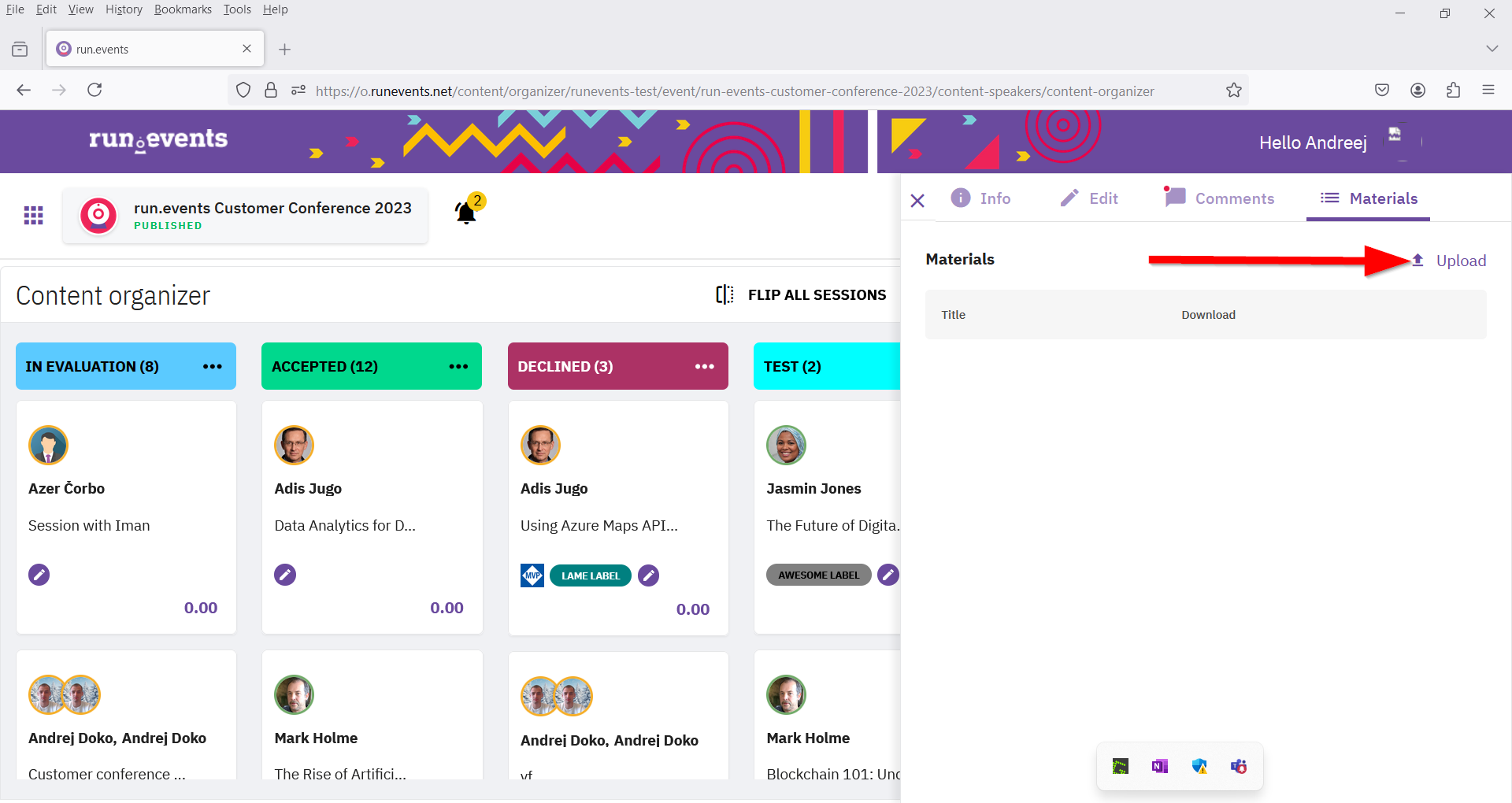
3. A fly-out window will open on the right side (you can open the same window when you click on a certain session in content management or agenda builder) with the option materials in the upper right corner.
4. Click on upload and a pop-up will open with file and link options.
5. On the file option, click on the upload icon and fill in the mandatory fields: title and description.
6. Finally, save by clicking on the save icon in the upper right corner.